Eaglercraft Game
Play Eaglercraft Game Online Free & Unlimited
What is Eaglercraft
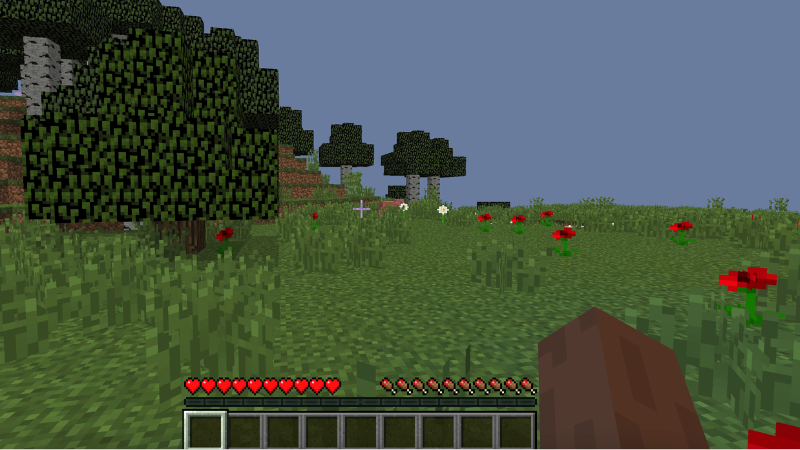
Eaglercraft is a browser version of a classic block building survival game that runs directly in a modern tab without extra software. On Infunx you open Eaglercraft, pick the 1.12 version, and start playing in a full three dimensional world made of cubes. Eaglercraft keeps familiar mining, crafting, and building rules while staying friendly for many school laptops and simple office devices.
With Eaglercraft on Infunx you can create private worlds for relaxed play or join servers that use the same Eaglercraft version to explore with other players. Everything loads inside the browser, so you can return to Eaglercraft quickly whenever you have a short break.
Eaglercraft Game Rules and Modes
In Eaglercraft you enter a world where almost every block can be mined and placed again. You gather wood, stone, and ores, craft tools and armor, and use these items to survive and build.
The core modes in Eaglercraft include survival style play and creative style play. In survival you manage health and hunger while hostile creatures appear at night or in dark areas. You need shelter, light, and better gear to stay safe. In creative style worlds Eaglercraft gives you free building options so you can focus on design, redstone ideas, and large structures without worrying about damage.
Eaglercraft on Infunx uses a 1.12 version, so you get more recent items and behavior than very early browser ports while keeping familiar controls. The same rules apply if you join multiplayer servers that support Eaglercraft, although each server can add its own extra rules or maps.
How to Play Eaglercraft on Infunx
- Open a modern browser such as Chrome or Edge and visit Infunx.
- Search for the Eaglercraft game page on Infunx and start the 1.12 version.
- On the main menu of Eaglercraft choose singleplayer to create a new world or multiplayer to join a server that supports Eaglercraft 1.12.
- Open the options menu in Eaglercraft and adjust video, sound, and control settings to match your device and reduce lag if needed.
- In survival style play, punch trees, gather basic blocks, craft tools, and build a small shelter before night so you can avoid hostile mobs.
- In creative style play, use the inventory screen in Eaglercraft to pick any block and start building farms, houses, and large bases without resource limits.
- When you finish, return to the Eaglercraft menu, save your world, and close the tab. Next time you visit Infunx you can reopen Eaglercraft and continue from the same save or server.
Tips for Better Eaglercraft Performance on Infunx
- Close unused tabs and heavy apps before you start Eaglercraft on Infunx, especially on school laptops.
- If Eaglercraft feels slow, open the video settings and lower render distance, clouds, and other visual details until the game feels smoother.
- When you play multiplayer Eaglercraft, pick servers with low ping and reasonable player counts for more stable movement and combat.
- Add the Eaglercraft page on Infunx to your bookmarks so you can jump back into your favorite worlds or servers in just a few clicks.